Admin central
Use Admin central to review notices from Appsmith about changes in upcoming releases. Each notice shows whether the change applies to your instance and whether you need to take action before you upgrade.
Most notices are informational and do not change how the instance runs. Pending upgrade checkpoints are the exception: you must confirm or skip a checkpoint here before you can upgrade past it. For more information, see Upgrade checkpoints.
Only users with Instance Administrator privileges can access Admin central. On self-hosted instances, it appears under Instance in Admin Settings. It is not available on Appsmith Cloud or on deployments with multiple organizations enabled.
Open Admin central
- Sign in as an instance administrator.
- Open Admin Settings.
- Under Instance, select Admin central.
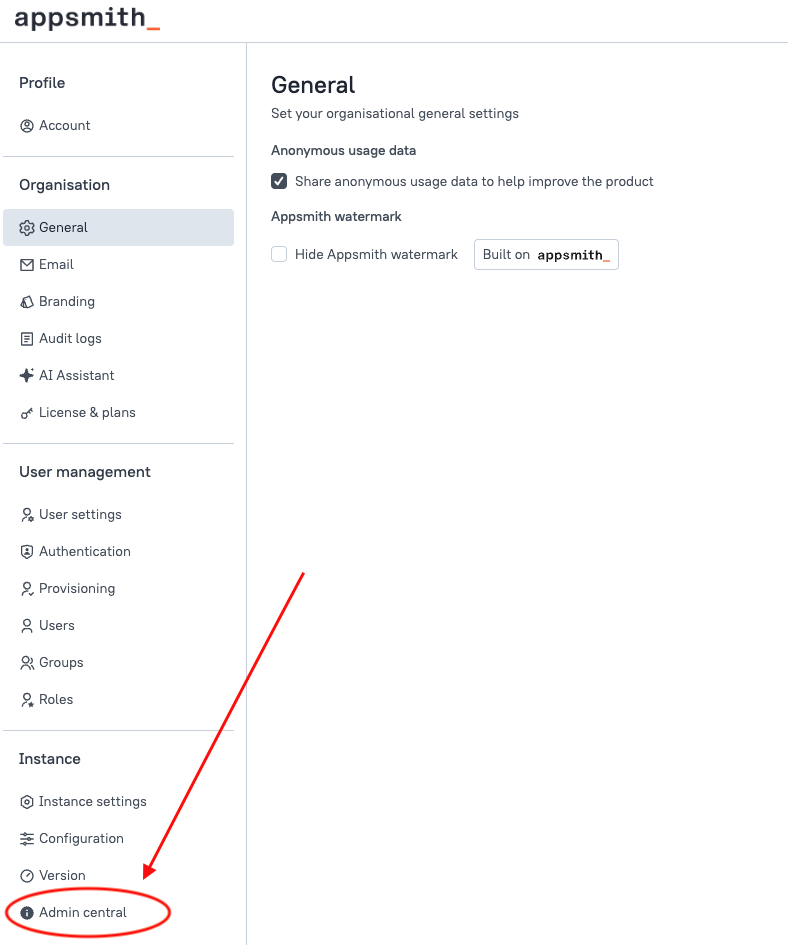
What you see
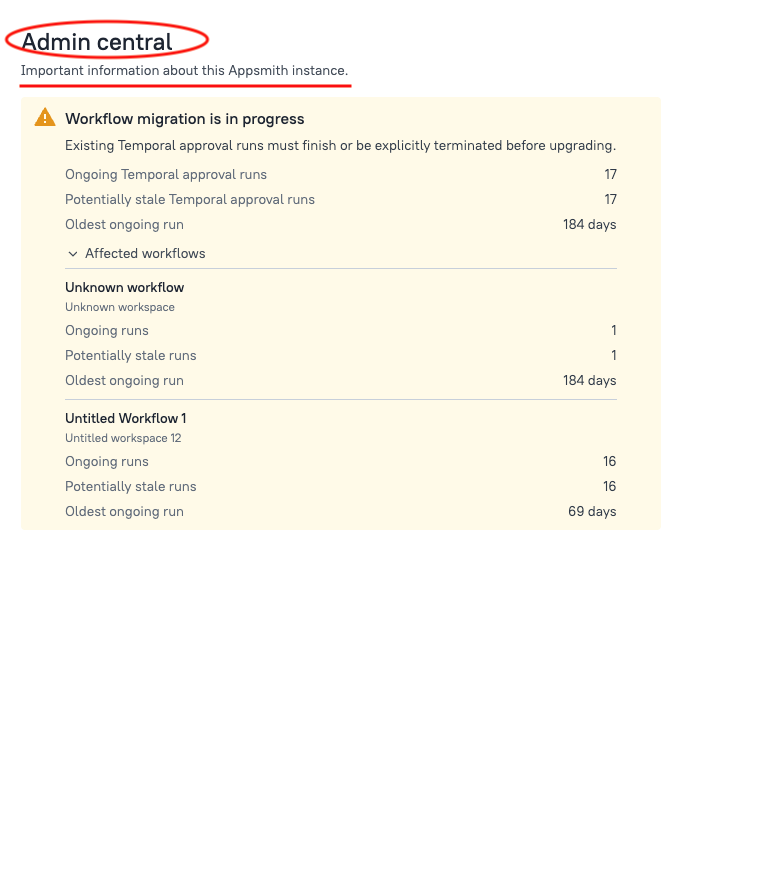
Appsmith adds a notice when a change in a current or upcoming release requires administrator attention. A notice can include:
- A title and short description of the change
- A severity indicator that distinguishes informational updates from items that require action
- Summary details for your instance, such as counts or status
- An expandable list of affected items, when more details are available
- A Learn more link to the documentation for that change
If a notice says you must complete work on this instance before you upgrade, follow that notice’s documentation first. For pending upgrade checkpoints, see Upgrade checkpoints. For workflow notices, see Native workflow engine.
When no action is required
If nothing requires your attention, Admin central displays:
There is no action required for this instance.
This is the expected state when no notices apply to your instance. A notice appears when a change requires attention and disappears after the required work is complete.
If the page does not load
If Appsmith cannot load instance information, refresh the page. Make sure you are still signed in as an instance administrator.